This week, I got to explore some more a technology tool I use sometimes, but not to its fullest potential: podcasting. As Lee LeFever talks about on Podcasting in Plain English, podcasting is a great medium through which people around the world are able to share information on almost any topic imaginable with interested listeners.
One source of educational podcasts I really like and have used with my students in the past is voanews.com An interesting feature on this news website is something called "Special English" a series of news broadcasts that are slowed down by 1/3 of the normal speed and are aimed at intermediate and high beginner level English speakers. VOA Special English offers weekly podcasts on a variety of topics that might be of interest to English language learners such as education, current events, health, technology, and American history. I thought the podcasts on American history might be of particular interest to immigrant and refugee English language learners who have been in the United States for several years and are interested in learning about American history in preparation for taking the citizenship exam.
After some exploring on VOA's website, I decided to listen in on a podcast about the Cold War. The U.S. Citizenship and Immigration Services lists 100 questions students need to know the answers to in preparation for taking the citizenship exam. If I were to use this podcast in the classroom with intermediate level adult refugee students, I might begin by introducing the related citizenship test question, "During the Cold War, what was the main concern of the United States?" I would also engage students in a background building discussion to see if any of them had heard of the Cold War before, knew anything about it, or could guess why it might be described as a "cold" war before having them listen to the podcast. As this podcast is 15 minutes long and includes much more information than students would need to know for the citizenship exam, I could have them listen to the entire pod cast or just parts of it, depending on their English language ability. To aid with listening comprehension, I could have students take notes on a graphic organizer. I could also pre-teach key vocabulary critical to understanding the podcast. I could stop and show pictures of key people and events to provide further scaffolding.
After introducing students to part of this pod podcast in class, I could have them listen to another part of it at home. Students could be responsible for taking notes on the part of the
podcast they had listened to at home as well as any questions they had
about it or anything they didn't understand. They could read along with the podcast on the website as they listened to it. One great feature of VOA Special English is that if students come across a word they don't know, all they have to do is double click on it and a screen will pop-up with its definition form the Webster-Merriam dictionary. After discussing the remainder of the podcast in class the next day, the class could wrap up by coming back to the question about the Cold War students needed to know for the citizenship exam.
As my students gained practice in listening to podcasts and became more proficient in their listening comprehension skills, I could eventually have them subscribe to and listen to these podcasts on American history at home on their own, before coming in and discussing the information in them in class.
This blog showcases the various technology tools that can be used for pedagogical purposes in the second language classroom.
Showing posts with label adult learners. Show all posts
Sunday, December 2, 2012
Monday, November 12, 2012
Digital Storytelling Revisited: Photo Story Tools
Last week, I wrote about combining digital bookmaking and the Language Experience Approach to give ELLs with emerging literacy skills the opportunity to publish their stories. This week, I looked at a few other tech tools that could be used for bringing students' stories to life in the L2 classroom. Photo story tools, such as imovie, stupeflix, and animoto, are an example of these kinds of tools.
A photo story is a short video which usually features a slideshow of images that may be accompanied by speech, music, or text. Being a mac user, I decided to begin my foray into the realm of photo stories by trying out a program I already had on my computer; imovie. Taking the text and images from the story my students had written about their field trip to the Garden Walk, I used this program to create a slideshow of their story. Not only did imovie give me the option of adding text to each of these images, it also let me add a sound recording of myself reading the sentence that went along with that image. In a classroom equipped with the appropriate technology, a tool like imovie could be a great resource for differentiating instruction, allowing students who needed extra reading practice with a story the class had created to use headphones to listen to it being read at their own pace while following along with the text on the bottom of each of the images.
Since not all instructors will have access to a program like imovie in their classrooms, I decided to also try out one of the free photo story tools offered online. The tool I chose was stupeflix, because I liked that it offered the option of adding text and sound to each of the images in the slideshow. I ended up uploading pictures I had on my computer of my family members and myself doing different things and make a simple story using the present progressive, as this is one of the first grammatical structures I teach my students to use. Although I was not able to record myself reading the story the way I had with imovie, stupeflix does have a "text to speech" feature that lets you type out a sentence you want the computer to read for each image. Although computer generated, the speech was surprisingly native-speaker-like.
I imagine a tool like stupeflix could be a great resource to give students who already have some basic literacy skills the chance to demonstrate their command of a specific grammatical feature by creating a photo story with photos that have been taken by the class or that they themselves have taken. They can then use the "text to speech" feature to listen to their story being read by a "native speaker," before themselves reading and presenting it to the class. In a class of students with emerging literacy, on the other hand, the instructor could use stupeflix to create a photostory like the one below that highlights vocabulary or grammar currently being taught in class. Students could listen to the videos with headphones and follow along with the words on each slide as they heard them being read aloud.
A photo story is a short video which usually features a slideshow of images that may be accompanied by speech, music, or text. Being a mac user, I decided to begin my foray into the realm of photo stories by trying out a program I already had on my computer; imovie. Taking the text and images from the story my students had written about their field trip to the Garden Walk, I used this program to create a slideshow of their story. Not only did imovie give me the option of adding text to each of these images, it also let me add a sound recording of myself reading the sentence that went along with that image. In a classroom equipped with the appropriate technology, a tool like imovie could be a great resource for differentiating instruction, allowing students who needed extra reading practice with a story the class had created to use headphones to listen to it being read at their own pace while following along with the text on the bottom of each of the images.
Since not all instructors will have access to a program like imovie in their classrooms, I decided to also try out one of the free photo story tools offered online. The tool I chose was stupeflix, because I liked that it offered the option of adding text and sound to each of the images in the slideshow. I ended up uploading pictures I had on my computer of my family members and myself doing different things and make a simple story using the present progressive, as this is one of the first grammatical structures I teach my students to use. Although I was not able to record myself reading the story the way I had with imovie, stupeflix does have a "text to speech" feature that lets you type out a sentence you want the computer to read for each image. Although computer generated, the speech was surprisingly native-speaker-like.
I imagine a tool like stupeflix could be a great resource to give students who already have some basic literacy skills the chance to demonstrate their command of a specific grammatical feature by creating a photo story with photos that have been taken by the class or that they themselves have taken. They can then use the "text to speech" feature to listen to their story being read by a "native speaker," before themselves reading and presenting it to the class. In a class of students with emerging literacy, on the other hand, the instructor could use stupeflix to create a photostory like the one below that highlights vocabulary or grammar currently being taught in class. Students could listen to the videos with headphones and follow along with the words on each slide as they heard them being read aloud.
Sunday, November 4, 2012
Digital Bookmaking: Bringing Students' Stories to Life
How do you help students who have never learned how to read and write in their first language make the connection between written text and spoken language? I think this has to be one of the biggest challenges instructors working with beginner-level adult refugee students face. Recently, I've been trying out something called the Language Experience Approach, or LEA for short, and I've had some encouraging results.
LEA begins with a group activity or experience, such as a class field trip to a nearby neighborhood location or a cooking lesson. The instructor takes pictures during the activity, and with the help of the pictures, students come up with a story about the experience they've just shared. The students take turns adding to the story to tell what happened, while the instructor writes down what they say, word for word. The class can then spend the next few classes using the words in the story in different activities to practice skills like spelling, phonics, pronunciation, sight words and sentence formation. What works well about this approach is that you are basing your instruction in language students are already familiar with as well as connecting this language to a real life experience. To get a clearer idea of what LEA looks like, check out this video.
One of the LEA stories the students in my classroom have written is about a field trip we took this summer on the Buffalo Garden Walk. Most of my students are very interested in gardening, and several have their own garden plots in the summer, or at least grow a few vegetables in containers in their back yards. I thought it would be interesting for them to see some of the other gardens in their community as well to have the chance to meet and practice using English with some of their American neighbors. During the trip we took pictures, and afterwards my students created a story made up of sentences they told about all of the pictures. Even my most shy student was able to contribute a sentence, and therefore have an important role in the story writing. As students were telling the story, I wrote it out on a large piece of chart paper, and had the students who were able to copy it out in their notebooks (I typed up a copy for students who weren't able to do this). This story became the basis of our sight word practice, word study, and phonics instruction over the next few class sessions.
In addition to helping reinforce the connection between spoken and written language, another objective of using a digital bookmaking tool with the Language Experience Approach might be to build students' self-confidence as writers. How empowering for students who have never had the chance to learn how to read and write in their first language to see their own words published in a book, even if it's just a digital book, for now.
LEA begins with a group activity or experience, such as a class field trip to a nearby neighborhood location or a cooking lesson. The instructor takes pictures during the activity, and with the help of the pictures, students come up with a story about the experience they've just shared. The students take turns adding to the story to tell what happened, while the instructor writes down what they say, word for word. The class can then spend the next few classes using the words in the story in different activities to practice skills like spelling, phonics, pronunciation, sight words and sentence formation. What works well about this approach is that you are basing your instruction in language students are already familiar with as well as connecting this language to a real life experience. To get a clearer idea of what LEA looks like, check out this video.
One of the LEA stories the students in my classroom have written is about a field trip we took this summer on the Buffalo Garden Walk. Most of my students are very interested in gardening, and several have their own garden plots in the summer, or at least grow a few vegetables in containers in their back yards. I thought it would be interesting for them to see some of the other gardens in their community as well to have the chance to meet and practice using English with some of their American neighbors. During the trip we took pictures, and afterwards my students created a story made up of sentences they told about all of the pictures. Even my most shy student was able to contribute a sentence, and therefore have an important role in the story writing. As students were telling the story, I wrote it out on a large piece of chart paper, and had the students who were able to copy it out in their notebooks (I typed up a copy for students who weren't able to do this). This story became the basis of our sight word practice, word study, and phonics instruction over the next few class sessions.
Now here's where digital bookmaking comes in. LEA is great because it helps students make a connection between spoken language that they can understand and written language that they can't yet read. This happens first of all when pre-literate students hear one of their classmates saying a phrase and watch the instructor writing the phrase down. It should also happen during the various follow-up activities that are based on the vocabulary and sentences in the story. A digital bookmaking tool like Bookr or Bubblr can further reinforce the connection between written text, spoken language, and meaning.
Depending on the technology available in the classroom as well as students' familiarity and level of comfort with using it, the instructor can either create on her own, or have students help her create a digital flipbook that juxtaposes the pictures from the trip with the sentences the students have generated for each of them. For example, the instructor might add an image to the book and have a student volunteer to tell her the sentence that goes with that image, or conversely, type and read a sentence and have a student pick out the image that goes along with it. This gives the students another opportunity to hear each of the sentences being read while also seeing them in writing.
Another variation on this, which comes closer to digital storytelling, might be to use a tool like imovie to create a slideshow that includes images, audio and text, allowing students to hear the story being read while seeing the corresponding pictures and sentences that go with each sentence. I experimented with both of these tools to see how they would work with the LEA story my students wrote. Here's what I came up with!
In addition to helping reinforce the connection between spoken and written language, another objective of using a digital bookmaking tool with the Language Experience Approach might be to build students' self-confidence as writers. How empowering for students who have never had the chance to learn how to read and write in their first language to see their own words published in a book, even if it's just a digital book, for now.
Tuesday, October 16, 2012
Virtual Burgers and Refugee Learners
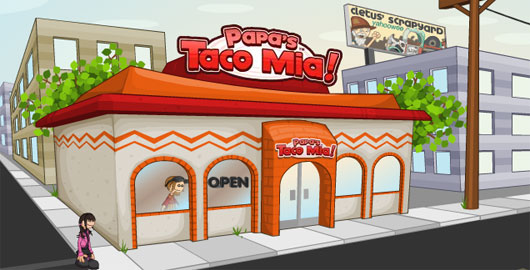
A couple of years ago, my little brother, a self-professed online game addict, introduced me to a series of point-and-click games with a common theme: food preparation. These games included Papa's Pizzeria, Papa's Burgeria, and Papa's Taco Mia, among many other variations! Your role in each of these games is the same. You are a worker at a fast food franchise (a pizzeria, taco shop, burger place, etc...) and your goal is to earn tip money by taking and accurately fulfilling your customers orders. The funny thing was that although I used to work at a fast food restaurant and did not enjoy it, there was something about these games that kept me playing one round after another.
"One of the defining attributes of any game," says Zac Hill in a post entitled Sculpting Flow and Fiero, "is that it is, in some sense, voluntary work." He goes on to say that there is something about the way games make people feel that intrinsically motivates people to continue doing this "voluntary work," whether that work is killing zombies, figuring out a way to escape a room, or making virtual tacos. I think it must be this realization that is, at least in part, behind the recent trend toward Gamification in education, business, and other arenas.
The nonprofit organization Educause describes gamification as "the application of game elements in non-gaming situations, often to motivate or influence behavior." In 7 Things You Should Know About Gamification it describes how games provide intrinsic motivation to their participants by offering immediate feedback, an appropriate level of challenge, and rewards. A rationale behind the move towards gamification in the field of education specifically is that incorporating game-like elements like these into teaching holds promise for creating more intrinsic motivation for our students to learn as well as helping them see coursework less as a chore and more as a challenge.
In light of the move towards both gamification and the integration of technology in current educational practice, some instructors might decide to incorporate not just game-like elements but computer games themselves into their classroom instruction. This brings us back to the example of Papa's Burgeria.
In order to prepare her students to play this game, the instructor could introduce vocabulary such as hamburger, lettuce, ketchup, pick up, and flip to her students and have them practice it using TPR or other similar activities. When introducing food vocabulary, she might use both photographs of the actual items as well as the visual representation used for these items in the game, to help students make the connection between the real item and its "cartoon" version. She could then have them pair up with a partner and go to a computer. One partner would play the game while the other partner gave him or her instructions on what to do, based on each customer's order (ie. pick up the bun, flip the burger, add ketchup, etc...) After each round, students could switch roles so that both partners would have the opportunity to practice both giving and receiving commands. During the activity, the instructor could circulate around the room, using a checklist to mark off whether each of the students giving instructions was using the correct verbs and nouns matching the images on the screen.
The reason I write about this example in third person is that although I consider it a way of incorporating game-like elements and technology into the language classroom, I would have reservations about actually using an activity like this with the students I teach. Most of the refugee adult students I teach have had and continue to have limited exposure to technology. Using a computer for them, period, is something scary and challenging and not very comfortable. I have a hard time seeing them pick up a new computer game as easily and effortlessly as their thirteen-year-old son would, for example. I'm afraid that rather than creating a positive atmosphere, a computer game like Papa's Burgeria might result in anxiety and frustration, raising the affective filter and taking away from their language learning experience. I also worry that providing students with all the background information needed to play a game like this successfully may just take up too much classroom time to be worth the potential language gains that may result from it.
All that to say, while computer games may not be the best fit for the adult refugee ESL class room, I do think there are many game-like elements such as maintaining an appropriate level of challenge, giving immediate feedback, and even providing opportunities for some healthy classroom competition that can be a great way of increasing motivation and success experienced by refugee adult learners.
Sunday, September 30, 2012
Keeping up With the Smart Kids...
In the words of Alan Levine, of New Media Consortium, "It's really important to stay connected to people that are smarter than us because we can't know everything." To me, this simple statement sums up perfectly the value of using social media for networking in today's rapidly changing world. To stay current in one's field as a professional, whether that be an engineer, a business executive, or an educator, involves a lifelong pursuit of learning. And what better way to do this than to be intentionally connected to a community of other lifelong learners? Introducing... Ning, a social networking site created to help individuals connect with others who have similar professional interests.
Ning is like facebook or myspace, except that it allows individuals to create networks with a much narrower focus. One particular Ning network that caught my interest belonged to the National Council of Teachers of English. Not only was this network composed of close to 6,000 English teachers from across the US, it also contained a more specific focus group of educators interested in working with ESL students. Members of this network are able to start online discussions, post videos, ask questions, provide suggestions, and even chat with each other through this network.
I think of the relevance of a tech tool like this in the field of refugee adult education. As of yet, there is not all that much scholarly research on best practices in working with adult ELL's with limited educational and literacy background. The research that does exist on this narrow demographic of learners is very foundational and rarely goes into practical teaching strategies I encounter a need for on a day to day basis. How wonderful, then, to think about the possibility that there might exist a network of educators who are encountering many of the same challenges, asking many of the same questions, and coming up with solutions to many of the same issues I face in my Buffalo, New York classroom.
Ning is like facebook or myspace, except that it allows individuals to create networks with a much narrower focus. One particular Ning network that caught my interest belonged to the National Council of Teachers of English. Not only was this network composed of close to 6,000 English teachers from across the US, it also contained a more specific focus group of educators interested in working with ESL students. Members of this network are able to start online discussions, post videos, ask questions, provide suggestions, and even chat with each other through this network.
I think of the relevance of a tech tool like this in the field of refugee adult education. As of yet, there is not all that much scholarly research on best practices in working with adult ELL's with limited educational and literacy background. The research that does exist on this narrow demographic of learners is very foundational and rarely goes into practical teaching strategies I encounter a need for on a day to day basis. How wonderful, then, to think about the possibility that there might exist a network of educators who are encountering many of the same challenges, asking many of the same questions, and coming up with solutions to many of the same issues I face in my Buffalo, New York classroom.
Wednesday, September 26, 2012
Fraud Prevention in the ESL Classroom
What do promises of lowered utility bills, mailings about life insurance, and phone calls requesting personal information all have in common? Not sure? All are examples of potential fraud or scams teachers and service providers working with refugee adults should be aware of and know how to warn their students against.
Although it is from several months ago, Heidi's post entitled Fraud Prevention Month on the ESL Literacy Network Blog brought to mind a number of situations the volunteers I supervise have encountered while teaching English to refugee adults in their homes. One volunteer told me how the family in whose home she was teaching English received seven phone calls from someone claiming to be calling on behalf of an insurance company and requesting their personal information over the course of single one and a half hour class. Another volunteer recently encountered a situation in which a man came to the door of the house she was teaching in and asked the family if he could see their gas and electric bill. He was very pushy about the whole thing and after the volunteer finally convinced him to leave, all of the students in the group expressed great relief. We later found out he was most likely a door-to-door salesman for an "alternative" energy company that promises low rates and then locks individuals into expensive multi-year contacts with high cancellation fees.
Teachers and service providers working with refugee adults have an important role to play in helping them adjust to and navigate life in the United States. An important part of this is teaching them how to avoid falling prey to these and other examples of fraud. Heidi's post includes a link to a list of topics instructors might cover in an ESL unit on avoiding fraud, as well as a number of other online fraud prevention resources. One of the most interesting of these is a website called Snopes.com which includes all kinds of fascinating information you might want to know about urban legends, frauds, scams, myths, and all other kinds of misinformation.
Inspired by this post, I decided to come up with my own list of simple tips for ESL teachers and other service providers who would like to help their adult refugee students avoid becoming victims of fraud.
Tip #1: Teach your students to never sign anything unless they understand exactly what it says. This also means that as service providers we must set the precedent of not asking our clients to sign something without explaining what it is and why we are asking them to sign it, even if it's less convenient to do these things.
Tip #2: Teach your students when it's appropriate to give out personal information and who it's appropriate to give this information out to. Follow up a unit on giving personal information with a discussion of whether it's "ok" or "not ok" to share each of these pieces of information with individuals like their doctor, their case worker, their neighbor, somebody on the phone, someone they just met, etc.
Tip #3: Teach your students that it's okay to say "no." Make sure your students know that it's always safer to say no if they're not sure whether or not they should say yes to an offer or if they don't understand exactly what they would be saying yes to. Teach and have your students practice saying phrases like "No thank you," "Sorry, I'm not interested," or "Sorry, I don't understand" that can allow them to still be polite while declining the offer.
Tip #4: Give students opportunities to practice saying "no" to sketchy offers and situations. Have students role play situations of how they would respond when someone comes to the door or calls on the phone about something that may be a scam.
Going back to the story I shared earlier about the utility salesman who came to English class, here's what the volunteer teaching the class did. Recognizing the importance of teaching her students how to stand up for themselves in this situation and avoid being taken advantage of, she decided to follow up on this incident by teaching her students the phrase, "Please go away or I'll call the police/911." She wrote this phrase out on card stock for each of her pre-literate learners and role played a situation in which the utility salesman came to the door and students held up the sign with this message in the window instead of opening the door. The students felt empowered knowing they no longer had to feel like they were at the mercy of this unwanted (and in their eyes threatening) solicitor.
Although it is from several months ago, Heidi's post entitled Fraud Prevention Month on the ESL Literacy Network Blog brought to mind a number of situations the volunteers I supervise have encountered while teaching English to refugee adults in their homes. One volunteer told me how the family in whose home she was teaching English received seven phone calls from someone claiming to be calling on behalf of an insurance company and requesting their personal information over the course of single one and a half hour class. Another volunteer recently encountered a situation in which a man came to the door of the house she was teaching in and asked the family if he could see their gas and electric bill. He was very pushy about the whole thing and after the volunteer finally convinced him to leave, all of the students in the group expressed great relief. We later found out he was most likely a door-to-door salesman for an "alternative" energy company that promises low rates and then locks individuals into expensive multi-year contacts with high cancellation fees.
Teachers and service providers working with refugee adults have an important role to play in helping them adjust to and navigate life in the United States. An important part of this is teaching them how to avoid falling prey to these and other examples of fraud. Heidi's post includes a link to a list of topics instructors might cover in an ESL unit on avoiding fraud, as well as a number of other online fraud prevention resources. One of the most interesting of these is a website called Snopes.com which includes all kinds of fascinating information you might want to know about urban legends, frauds, scams, myths, and all other kinds of misinformation.
Inspired by this post, I decided to come up with my own list of simple tips for ESL teachers and other service providers who would like to help their adult refugee students avoid becoming victims of fraud.
Tip #2: Teach your students when it's appropriate to give out personal information and who it's appropriate to give this information out to. Follow up a unit on giving personal information with a discussion of whether it's "ok" or "not ok" to share each of these pieces of information with individuals like their doctor, their case worker, their neighbor, somebody on the phone, someone they just met, etc.
Tip #4: Give students opportunities to practice saying "no" to sketchy offers and situations. Have students role play situations of how they would respond when someone comes to the door or calls on the phone about something that may be a scam.
Going back to the story I shared earlier about the utility salesman who came to English class, here's what the volunteer teaching the class did. Recognizing the importance of teaching her students how to stand up for themselves in this situation and avoid being taken advantage of, she decided to follow up on this incident by teaching her students the phrase, "Please go away or I'll call the police/911." She wrote this phrase out on card stock for each of her pre-literate learners and role played a situation in which the utility salesman came to the door and students held up the sign with this message in the window instead of opening the door. The students felt empowered knowing they no longer had to feel like they were at the mercy of this unwanted (and in their eyes threatening) solicitor.
Subscribe to:
Posts (Atom)